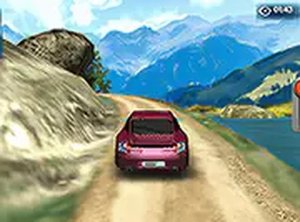
Precision Parking 3D Simulator

Precision Parking 3D Simulator

Simulation Parking
Developer: White Games
Published: 2024-11-25
Updated: 2026-07-16

Reviews

Precision Parking 3D Simulator offers a calm yet engaging driving experience. The 3D graphics are clear, and the green signposts make navigation straightforward. The collision counter adds a gentle challenge, encouraging careful driving. It is perfect for quick sessions and helps improve spatial awareness. A great free option for fans of driving games.

Description

Game Introduction

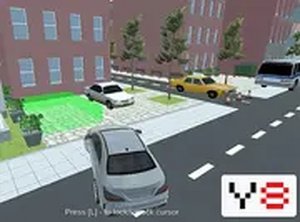
Precision Parking 3D Simulator places players in a detailed, three-dimensional parking environment. The core objective is to locate and park in designated spots by following clear green signposts. This activity tests spatial awareness and driving accuracy as players steer around other vehicles. Each unintended contact with a car is recorded, and after five such events, the session concludes. Designed for desktop browsers, the game provides a direct and engaging experience for those who enjoy driving-related activities. It is free to play and requires no downloads, making it convenient for short play sessions. The family-friendly design ensures a safe atmosphere for players of all ages. The realistic 3D visuals and straightforward controls help create an immersive experience that challenges one's ability to park correctly under pressure. Whether a beginner or an experienced driver, this game offers a fun way to practice parking skills in a virtual setting.

How to Play

Players typically use keyboard or mouse controls on a desktop computer. The game begins by following green arrows and signs that indicate the correct route to the parking spot. Drive carefully through the lot, avoiding other cars to prevent collisions. Each collision adds to a count, and if it reaches five, the game ends. The goal is to park smoothly in the designated spot without errors. Players should take their time and use the visual cues provided to navigate safely. The controls are easy to learn, allowing focus on precision and timing. Practice helps improve parking accuracy with each attempt.

Game Features

Features include free access with no downloads required, full screen mode for an immersive view, simple controls that are easy to learn, and a family-friendly environment suitable for all ages. The game runs directly in a browser for instant play. It offers a realistic 3D parking lot setting with green signposts to guide the player. The game tracks collisions, adding a layer of challenge. It is designed for desktop browsers, ensuring a smooth experience. These features make it a convenient and enjoyable choice for players who want a quick driving challenge without any setup.

Tips for Success

Practice steering and braking to make precise maneuvers. Take time when approaching parking spots, and use the green signposts as a guide. Avoid rushing, as patience reduces the chance of collisions. Regularly check surroundings to anticipate obstacles. Consistent practice will improve spatial awareness and help park without errors.

Compatibility

✅ Works on PC & Mobile | Recommended: Chrome / Safari / Edge
Faq
Is Precision Parking 3D Simulator available on mobile devices?
The game is designed for desktop browsers and may not be optimized for mobile screens. For the best experience, play on a computer with a keyboard and mouse.
What happens if I hit another car more than five times?
After five collisions, the session ends automatically. This encourages careful driving and rewards players who can park without mistakes.
Can I play this game without an internet connection?
No, the game runs in a browser and requires an active internet connection. It is not available for offline play.
Are there different parking lots or levels in this game?
The game may include a single parking lot layout. Some driving games of this type offer multiple areas, but this is not confirmed for this title.
Does the game have a time limit for parking?
There is no time limit mentioned. Players can take as long as needed to park carefully, which helps reduce stress and improve accuracy.
Can I customize the car or controls in Precision Parking 3D Simulator?
Customization options are not specified. The game likely uses default controls and a standard car model to keep the experience simple and accessible.
Advertisement