

Valentine Hidden Word Puzzle
A charming hidden letter puzzle with lovely Valentine's images and 30 fun levels. Perfect for all ages!
Mahjong Dynasty Tile Match is a classic tile-matching puzzle game that brings the timeless tradition of mahjong to your screen. The core objective is to clear a beautifully arranged layout of mahjong tiles by finding and removing pairs of identical tiles. This game offers a relaxing yet engaging experience, emphasizing careful observation and strategic planning. Its unique selection rule—only tiles with at least one free side on the left or right and no tile on top can be chosen—adds a layer of thoughtful challenge. With no time limit, players can enjoy a stress-free session suitable for all skill levels.
To play, start by examining the tile layout. Your goal is to match pairs of identical tiles. Click on a tile to select it, then click on its matching pair to remove both from the board. Remember, you can only select tiles that have at least one free side on their left or right; tiles covered by other tiles cannot be chosen. Each tile includes a number and letter in the top-right corner to help distinguish similar images. There is no time limit, so take your time to plan your moves. Continue matching and removing tiles until the entire board is cleared. If you get stuck, you may use hints or shuffle options if available.
This game features classic mahjong gameplay with a free side selection rule that adds strategic depth. It offers a no-time-limit mode for a stress-free experience. Tiles include easy identification labels (numbers and letters) to help players distinguish similar images. Controls are simple click-to-match, making it accessible for all ages. Additional features may include hints and shuffle options to assist when you are stuck, ensuring a smooth and enjoyable puzzle-solving journey.
To succeed, start by scanning the board to identify all available tiles. Focus on matching tiles that are blocking others to open up more options. Use the numbers and letters on tiles to quickly find pairs, especially when images look similar. Plan your moves ahead to avoid getting stuck with unmatched tiles. If you feel stuck, take a break and return with fresh eyes—the no-time-limit design encourages thoughtful play. Practice regularly to improve your pattern recognition and strategic thinking.
A charming hidden letter puzzle with lovely Valentine's images and 30 fun levels. Perfect for all ages!

A charming puzzle game with funny stickman animations and clever challenges that the whole family can enjoy together.
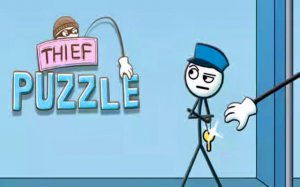
A clever puzzle game that rewards careful planning and observation. Perfect for fans of logic challenges.

A relaxing bird puzzle game with simple controls and beautiful images. Perfect for unwinding.

Tomato Pop Puzzle is a fun, fast-paced puzzle game that tests your reflexes with simple yet addictive gameplay.
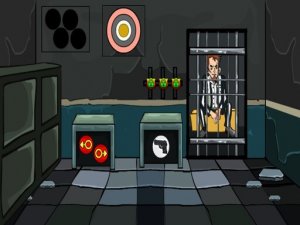
A fun, family-friendly puzzle game with clever challenges and a satisfying escape theme.