

Tomato Pop Puzzle
Tomato Pop Puzzle is a fun, fast-paced puzzle game that tests your reflexes with simple yet addictive gameplay.
Techno Arrow Puzzle Adventure transports players to a futuristic world where they take on the role of a Techno Archer. The core objective is to navigate through advanced environments by controlling a unique remote-controlled arrow. This game blends precise control with clever problem-solving, offering a fresh take on the puzzle genre. It is designed to be a safe, non-violent adventure suitable for players of all ages. The game challenges players to think logically while guiding the arrow through a series of interactive puzzles. Each level presents a new environment filled with targets to hit in a specific order, stations to power, and obstacles to avoid. The futuristic setting adds a layer of immersion, making each puzzle feel like a journey through a high-tech world. The game emphasizes skill and strategy over speed, encouraging players to plan their moves carefully. With its focus on non-violent problem-solving, Techno Arrow provides a positive and engaging experience for casual gamers and puzzle enthusiasts alike. The game is designed to be accessible, with intuitive controls that allow players to focus on the puzzles rather than complex mechanics. Whether playing for a few minutes or a longer session, players will find a rewarding challenge that tests their ability to think ahead and adapt to new situations.
Players typically use mouse or touch controls to aim and launch the arrow. Once airborne, they steer it through the air like a drone. The goal is to solve environmental puzzles by hitting targets in order, powering stations, or avoiding obstacles. In some modes, players disable robotic drones non-violently by disrupting their power. Completing each level with skill and speed is key to progressing. The controls are designed to be intuitive, allowing players to focus on the puzzle-solving aspect. Players must carefully plan their trajectory and adjust their path in real-time to navigate through tight spaces and around obstacles. The game rewards precision and patience, as rushing can lead to mistakes. Each level introduces new challenges that require players to think creatively and adapt their strategies. The game provides a gentle learning curve, with early levels serving as tutorials for the core mechanics.
Features include three exciting modes that offer unique objectives, stunning sci-fi visuals, and intuitive flight controls. The puzzles are clever and designed to be family-friendly, with no violence or inappropriate content. The combination of action and logic keeps the experience fresh, making it suitable for both short gaming sessions and longer play. The game may include a variety of environments that change as players progress, keeping the puzzles engaging. The visuals are designed to be appealing without being distracting, allowing players to focus on the gameplay. The game also features a progression system that rewards players for completing levels efficiently, encouraging replayability. The controls are responsive and easy to learn, making the game accessible to players of all skill levels. The game is designed to be a relaxing yet stimulating experience, with no time pressure in most modes, allowing players to solve puzzles at their own pace.
Practice steering the arrow smoothly to navigate tight spaces. Pay close attention to the environment to identify the correct order of targets. Plan your path before launching to avoid obstacles. Use speed only when necessary, as precision is often more important than velocity. Replay levels to improve your timing and discover more efficient routes. Take breaks if you feel stuck, as a fresh perspective can help solve tricky puzzles. Experiment with different approaches to find the most effective strategy for each level.
Tomato Pop Puzzle is a fun, fast-paced puzzle game that tests your reflexes with simple yet addictive gameplay.
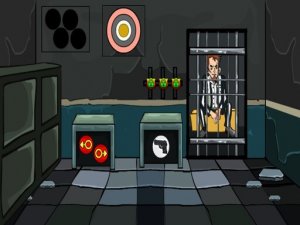
A delightful puzzle game that challenges observation and logic in a cheerful, family-friendly setting.

A charming memory game with friendly ghosts, easy controls, and endless fun for all ages.

A fun, family-friendly rhythm game with fresh music and visuals. Great for all ages.
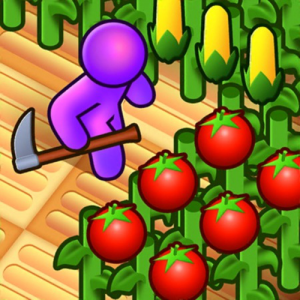
A relaxing yet challenging skill game that rewards precision and practice in a peaceful farm setting.
A clever puzzle game that challenges logic and patience with progressively harder levels and simple controls.