

Chirpy Birds Jigsaw Puzzle
A relaxing bird puzzle game with simple controls and beautiful images. Perfect for unwinding.
3D Chess Board brings the timeless challenge of chess into a visually engaging three-dimensional environment. This game is designed for players who enjoy testing their strategic thinking and planning abilities. The core objective is to outmaneuver your opponent by using classic chess pieces and rules, but with the added depth of a 3D board that enhances the spatial experience. Whether you are a beginner looking to learn the fundamentals or an experienced player seeking a new way to enjoy the game, 3D Chess Board offers a familiar yet fresh take on a beloved pastime. The game emphasizes logic, foresight, and careful decision-making. Each session presents an opportunity to improve your tactical skills and enjoy a mentally stimulating activity. The 3D perspective allows for a clearer view of piece movements and board positions, which can help players plan their strategies more effectively. This version of chess is suitable for all ages and provides a safe, family-friendly environment for friendly competition or solo practice against a computer opponent.
Players take turns moving their pieces across the 3D chessboard according to standard chess rules. The game can be played against a computer opponent with adjustable difficulty levels, or against another person on the same device. To make a move, select a piece and then choose its destination square. The game provides responsive controls and smooth visual feedback to keep the experience immersive. Beginners can start with easier difficulty settings to learn piece movements and basic strategies, while advanced players can challenge themselves with higher difficulty levels. The goal is to checkmate the opponent's king while protecting your own. The 3D board view helps players see the entire playing field clearly, making it easier to plan ahead and anticipate opponent moves.
3D Chess Board includes several features designed to enhance the playing experience. Players can choose from seven different difficulty levels when playing against the computer, allowing them to find a challenge that matches their current skill level. The game supports local multiplayer, enabling two players to compete on the same device. The 3D visual presentation provides a clear and engaging view of the board and pieces. Responsive controls ensure that moves are registered accurately and smoothly. The game is designed to be accessible to both new and experienced chess players, with a focus on logical thinking and strategic planning. Each game session offers a fresh opportunity to apply different tactics and improve your overall gameplay.
To improve your performance in 3D Chess Board, practice regularly to become familiar with piece movements and common strategies. Start with lower difficulty levels to build confidence before moving to harder opponents. Focus on controlling the center of the board and developing your pieces early in the game. Pay attention to your opponent's moves and try to anticipate their plans. Review your past games to identify mistakes and learn from them. Consistent practice and thoughtful analysis will help you become a more effective player over time.
A relaxing bird puzzle game with simple controls and beautiful images. Perfect for unwinding.

A charming memory game with friendly ghosts, easy controls, and endless fun for all ages.
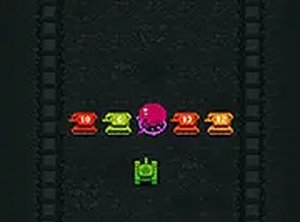
A fun retro arcade tank game with simple controls and strategic upgrades. Perfect for quick browser play.
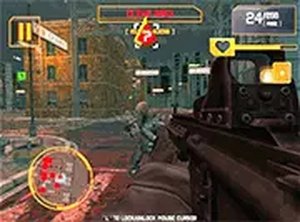
A thrilling free browser action game with a compelling alien invasion storyline and simple controls.

Tomato Pop Puzzle is a fun, fast-paced puzzle game that tests your reflexes with simple yet addictive gameplay.
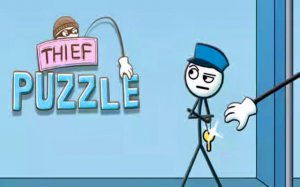
A clever puzzle game that rewards careful planning and observation. Perfect for fans of logic challenges.